How to Reduce Late Payments and Improve Cash Flow with Invoice Automation
Late payments can create difficulties for your client and business; they directly impact cash flow and damage relationships with customers.
When your payment is received after the official payment date, it triggers penalties, interest and damages your credit score.
If you are creating invoices manually, then this can make the situation badly. Manual work can take a long time because of creating bills, checking details, sending reminders and updating records. If any invoice is lost or a reminder goes late, the payment may be delayed further.
Our Invoice 360 becomes useful for your business through reducing repetitive billing work and making payment easier to manage. Businesses can spend less time chasing billing and more time running their operations.
Why Do Businesses Struggle With Late Payments
Late payments happen when customers forget the payment due date, enter incorrect details, information reaches the wrong person, or get stuck waiting for approvals. Because of manual processes can be delayed. Employees prepare the invoice at the end of the week and send it to the client as soon as possible and divide the payment information in a spreadsheet without updating and make sure which customer to need a review.
These are all small issues that can create bigger problems. When multiple customers pay late, a business may need to postpone supplier payments, delay purchases and it reserves cover every day’s expenses.
Reducing Late Payment with Invoice Automation
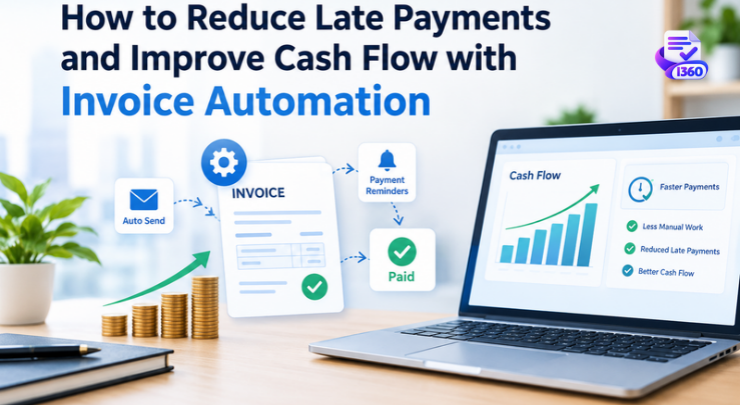
With the use of invoice automation software easily handle your bills and payments. Instead of remembering to remind employees about payment due dates. Every business needs automated processes to manage routine billing tasks and save payment information updates.
Here are some Invoice management solutions to reduce late payments
- Faster invoicing delivery – After a product is delivered and services is completed so invoice can be created and sent immediately. Customers save more time to payment process to before the payment date.
- Automatic payment reminders – With the help of automatic payment reminders, customers are reminded about upcoming and overdue payment dates. This feature reduces the chances of invoices being forgotten.
- Fewer billing errors – By using customer details, agreed price and a standard invoice format, this feature helps avoid mistakes that might otherwise delay approval.
- Better Follow-up – With the invoice automation system, the team can easily get customer details and prioritize customers who need a payment reminder notification.
With the help of automated invoicing software, businesses can improve cash flow when they have better control, and this system enables you to see which invoices are still unpaid and when payments are due. This means the finance department can more accurately calculate the amount of business
A business, for example, with supplier payments to be made next week, can review which customer invoices are expected to be paid before that date and follow up early on overdue payments
An invoice management solution also compiles all billing records and payment statuses in one place. As much as you did like to automate payment from customers, you can not, but what you can do is act quicker than you would have otherwise, preventing delays that in turn allow you to better manage your available cash
Choosing the Right Automation Software
You need to consider before choosing invoice automation software
- Invoice Creation – This system lets you create accurate invoices by using templates that you can reuse and customer details that are already saved.
- Payment reminders – Can you set up reminders so they match the invoice date?
- Payment tracking – Is it easy to spot invoices and unpaid balances?
- Reporting – Does it provide information about collections and expected payments?
- Integration – Can it work with existing tools, payment methods and business applications?
- Security and access – Can it allow businesses to control who views edit and approves documents?
Final Thought
Late payments are not always something a business can control. How invoices are handled can affect how fast payments are received. If invoices are sent late, reminders are missed or there is not information about payments, it can make an already tough situation even harder.
Invoice Automation helps businesses have a system for making invoices, contacting customers and tracking money that is still coming in. When there are payment rules and regular checks on money, it can cut down on daily tasks and allow businesses to manage their money with more confidence.
The real advantage is not about sending invoices quicker. It is about giving the finance team an understanding of what the business is owed, when the money is expected and which accounts need help.
FAQ
Q1. What is Invoice Automation?
Invoice automation is the use of software to manage invoicing tasks. It involves creating bills sending bills setting up payment reminders and tracking payments that’re still due. This method helps companies reduce work and keep billing records clear and well organized.
Q2. How does invoice automation software help reduce payments?
I find invoice automation software useful. Invoice automation software helps to business send invoices on time. It also schedules reminders before and after due payment dates, and it handles overdue accounts because of these features, invoice automation software makes it easier for me to save customers and avoid payment delays that hurt cash flow.
Q3.How can small businesses benefit from automated invoicing
Automated invoicing software can help small businesses save a lot of time that would otherwise be spent on writing bills and collecting money. Automated invoicing software makes it easier to send invoices that come back again. Automated invoicing software keeps records of customers. Automated invoicing software lets small businesses see which payments are still waiting, without adding chores.
Q4. How Does Online Invoicing Software Different from Manual Invoici ng
Invoicing is usually done by hand. People save payments using spreadsheets or email messages. Online bill software lets businesses create, send and manage invoices all in one place. It makes it much easier to see payment details. Invoices can be updated anytime they’re needed. This saves time. Helps keep things organized.