
Introduction
As a business grows, its invoicing requirements become more complex. More customers, vendors, transactions, branches, and financial documents mean that managing invoices manually can become time-consuming and prone to errors. For businesses registered under India’s Goods and Services Tax (GST) system, staying prepared for electronic invoicing is an important part of maintaining accurate billing and tax compliance.
GST e-invoicing is not simply about creating invoices digitally. It involves reporting specified invoice details to a government-notified Invoice Registration Portal (IRP), receiving an Invoice Reference Number (IRN), and obtaining a digitally signed invoice with a QR code.
For growing businesses, understanding the rules and preparing internal processes in advance can make this transition much smoother.
This guide provides a practical GST e-invoicing checklist for growing businesses, covering applicability, invoice information, reporting, record management, and common compliance mistakes.
What Is GST E-Invoicing?
GST e-invoicing is a system under which eligible taxpayers report specified business-to-business (B2B) invoices and other notified documents to an Invoice Registration Portal (IRP).
The IRP validates the submitted information and, after successful registration, generates a unique Invoice Reference Number (IRN) and a signed QR code. The registered invoice can then be shared with the recipient.
One important point: e-invoicing does not mean that businesses must create invoices directly on a government website. Businesses continue to prepare invoices through their own accounting, billing, or ERP systems and report the required data to an authorised IRP.
The system helps standardise invoice reporting and supports the flow of relevant invoice information into the GST ecosystem. Source: GST Portal guidance
Who Needs to Follow GST E-Invoicing Rules?
As of November 2026, the notified e-invoicing threshold is an aggregate annual turnover of more than ₹5 crore, based on turnover in any preceding financial year from 2017–18 onwards, subject to applicable exemptions.
The threshold is calculated using the aggregate turnover of all GST registrations associated with the same PAN across India. It is not calculated separately for each GSTIN.
For example, suppose a business operates with three GST registrations under one PAN:
- GSTIN 1: ₹2.5 crore
- GSTIN 2: ₹1.8 crore
- GSTIN 3: ₹1.2 crore
The combined turnover is ₹5.5 crore. Therefore, the business should assess its e-invoicing obligations, even though none of its individual GST registrations has independently crossed ₹5 crore.
Businesses should also check whether any notified exemption applies to their category. Certain categories, including specified banking and financial institutions, insurance companies, goods transport agencies, passenger transport service providers, SEZ units, and certain other notified persons, are exempt subject to the applicable rules.
Always verify the latest government notifications and your business’s specific circumstances before deciding whether e-invoicing applies. Source: Notification No. 10/2023–Central Tax | GSTN guidance
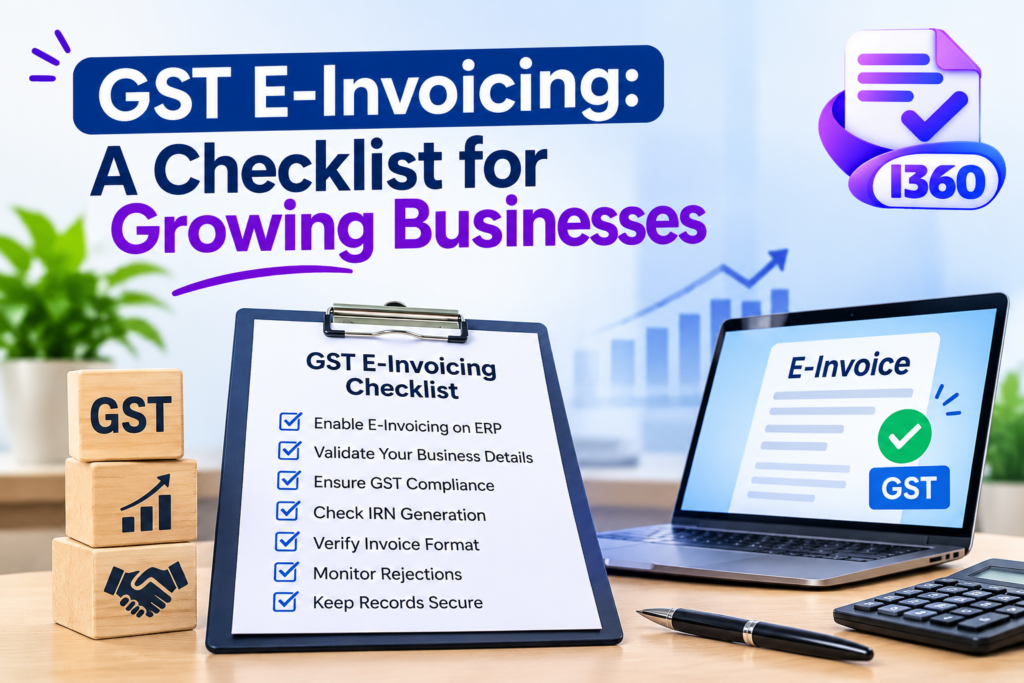
GST E-Invoicing: A Checklist for Growing Businesses
Use the following checklist to review whether your business is ready for GST e-invoicing.
1. Check Your Aggregate Annual Turnover
The first step is to determine whether your business falls under the e-invoicing mandate.
Review your turnover for every financial year from 2017–18 onwards. Include the relevant turnover across all GST registrations under the same PAN.
Your checklist:
- Review annual turnover for all previous financial years.
- Consolidate turnover across every GSTIN linked to your PAN.
- Check whether the applicable ₹5 crore threshold has been crossed.
- Confirm whether your business falls under any notified exemption.
- Review the latest GST notifications for changes in applicability.
Do not rely only on the turnover of your head office or one branch. A consolidated PAN-level assessment is essential.
2. Verify Your GST Registration Details
Accurate GST registration information is important for successful invoice reporting. Incorrect GSTIN details can cause validation errors and create difficulties for buyers when reconciling their records.
Before issuing e-invoices, verify:
- Legal business name and trade name.
- Supplier GSTIN.
- Registered business address.
- State code and place of supply.
- Recipient’s legal name and GSTIN.
- Billing and shipping addresses, wherever applicable.
- Contact and business details maintained in your billing system.
Keep customer and vendor records updated. A centralised customer database can reduce repeated data entry and help maintain consistency across invoices.
3. Prepare Your Invoice Data Correctly
Before submitting invoice details to an IRP, ensure that the information is complete and accurate.
Typical invoice information includes:
- Supplier and recipient details.
- Invoice number and invoice date.
- Document type.
- HSN or SAC codes, as applicable.
- Item or service description.
- Quantity and unit of measurement, where relevant.
- Taxable value.
- Applicable GST rates and tax amounts.
- Place of supply.
- Total invoice value.
- Relevant shipping and billing information.
Your accounting or billing process should validate these details before reporting an invoice. Correcting errors before submission is generally easier than managing rejected records or subsequent corrections.
4. Choose a Suitable Billing or Accounting System
As transaction volumes increase, spreadsheets and manually prepared invoices may become difficult to manage.
A suitable invoicing system should help your team:
- Create consistent business invoices.
- Maintain customer and vendor information.
- Manage product and service details.
- Calculate applicable taxes based on configured rules.
- Track invoice status and outstanding amounts.
- Store invoice records in an organised manner.
- Export financial information for review and accounting.
If your business is subject to e-invoicing, check whether your chosen software supports the required invoice data format and reporting workflow, either directly or through an authorised integration.
Do not assume that a system’s ability to create GST invoices automatically means it can generate IRNs. Confirm the specific e-invoicing and IRP reporting capabilities before relying on it for statutory compliance.
5. Register and Prepare for IRP Reporting
Eligible businesses need to report covered documents through an authorised Invoice Registration Portal.
Before starting the process:
- Check your e-invoicing enablement status on the GST e-invoice portal.
- Complete the required registration on an authorised IRP.
- Confirm access credentials and authorised users.
- Review the applicable invoice schema and mandatory fields.
- Test the reporting workflow before processing high invoice volumes.
- Establish a process for handling validation errors.
After successful reporting, the IRP returns the registered invoice details, including the IRN and signed QR code.
Remember that portal enablement alone does not determine legal applicability. Businesses must assess their obligations under the relevant notifications.
6. Understand the IRN and QR Code Requirements
The Invoice Reference Number (IRN) is a unique identifier generated when an eligible invoice is successfully reported to an IRP.
A signed QR code is also returned with the registered invoice. It helps recipients verify important invoice details.
Your business should ensure that:
- The correct IRN is associated with the relevant invoice.
- The signed QR code is included as required.
- The registered invoice is shared with the customer.
- Invoice records can be retrieved when needed.
- Staff understand how to verify the IRN and QR code.
For covered B2B transactions, a valid IRN is an important part of the e-invoicing process.
7. Review Reporting Time Limits
Timely reporting is an important part of e-invoice compliance.
From 1 April 2025, taxpayers with an aggregate annual turnover of ₹10 crore or more are subject to a 30-day reporting restriction on the IRP for invoices, credit notes, and debit notes requiring IRN generation. Such documents cannot be reported if they are older than 30 days from the date of reporting.
For example, an invoice dated 1 April must be reported within the applicable 30-day window. The IRP will reject reporting after that period for taxpayers covered by this restriction.
Businesses should introduce a daily or periodic reporting process rather than allowing invoices to remain unreported until the end of the month.
Source: GST Portal advisory on the 30-day reporting limit
8. Create a Process for Credit Notes and Debit Notes
Invoice management does not end when an original invoice is issued. Businesses may need to issue credit notes or debit notes when transaction values, quantities, or other relevant details change.
Establish a clear process to:
- Identify the original invoice.
- Record the reason for the adjustment.
- Prepare the appropriate document.
- Report it to the IRP where required.
- Maintain a link between the original invoice and the adjustment.
- Share the updated document with the relevant customer.
A consistent process helps prevent mismatched records and improves financial visibility.
9. Maintain Invoice Records and Supporting Documents
Growing businesses should maintain organised records of invoices and related financial documents.
A good record-management process should include:
- Original invoice details.
- IRN and QR code information.
- Credit notes and debit notes.
- Customer and vendor records.
- Payment status and transaction references.
- Supporting purchase orders and delivery documents.
- Relevant tax and accounting reports.
Use controlled access for financial documents and maintain appropriate backups. A well-organised record system can make audits, reconciliation, and internal reviews easier.
10. Train Your Accounts and Finance Team
Even a well-configured invoicing system cannot prevent every operational error if employees do not understand the process.
Train your accounts team on:
- E-invoicing applicability and exemptions.
- Invoice data requirements.
- GSTIN and HSN/SAC verification.
- IRP reporting procedures.
- IRN and QR code checks.
- Credit note and debit note handling.
- Reporting deadlines.
- Error resolution and record retention.
Assign responsibility for invoice preparation, verification, reporting, and reconciliation. Clear ownership helps reduce delays and confusion.
Common GST E-Invoicing Mistakes Businesses Should Avoid
As invoice volumes grow, small process errors can create larger compliance issues. Watch out for these common mistakes:
| Common mistake | How to avoid it |
|---|---|
| Calculating turnover GSTIN-wise instead of PAN-wise | Consolidate aggregate turnover across all GST registrations under the PAN |
| Using incorrect GSTIN details | Verify customer and supplier records before invoicing |
| Entering incorrect HSN/SAC codes | Maintain updated product and service master data |
| Reporting invoices late | Set up a regular reporting schedule and monitor applicable deadlines |
| Assuming every invoice is covered | Check the notified document types, transaction categories, and exemptions |
| Ignoring rejected IRP submissions | Review validation errors and correct the data promptly |
| Confusing invoice creation with e-invoice registration | Confirm that the required IRN and signed QR code have been generated |
| Keeping records in disconnected systems | Maintain organised and accessible invoice records |
How Digital Invoicing Software Helps Growing Businesses
Managing GST invoices, payments, customer records, and financial documents across separate systems can increase administrative work.
Digital invoicing software can help bring these activities into a more organised workflow. It can reduce repetitive data entry, improve invoice visibility, and make it easier for finance teams to track business transactions.
Invoicing360 supports business invoicing and financial document management, with features designed to help businesses organise their billing operations.
Depending on your business requirements, its capabilities can help with:
- Invoice creation: Prepare professional business invoices and manage billing information.
- GST and tax management: Maintain tax-related invoice information and support dynamic tax calculations.
- Payment tracking: Monitor paid, pending, and overdue invoices.
- Payment reminders: Send reminder emails to follow up on outstanding payments.
- Business document management: Generate and manage related documents such as purchase orders, proforma invoices, delivery challans, commercial invoices, and other business records.
- PDF and Excel exports: Export invoices and reports for sharing, review, and accounting workflows.
- Business insights: Review financial information and use available analytics to understand revenue and outstanding payments.
For businesses that require statutory e-invoice reporting, confirm the software’s specific IRP integration and IRN-generation capabilities before using it as part of your compliance workflow.
Explore Invoicing360 to learn how organised invoicing, payment tracking, and financial document management can support your business as it grows.
Monthly GST E-Invoicing Compliance Checklist
A monthly review can help your team identify issues before they affect reporting and reconciliation.
Use this checklist as part of your regular finance process:
- Review whether your business remains subject to e-invoicing requirements.
- Verify customer and supplier GSTIN details.
- Check invoice numbers, dates, and document types.
- Validate HSN/SAC codes and applicable tax details.
- Ensure covered invoices are reported to the IRP.
- Verify IRNs and signed QR codes.
- Review rejected or pending submissions.
- Report eligible credit notes and debit notes.
- Monitor applicable reporting deadlines.
- Reconcile invoice records with accounting and GST records.
- Store supporting documents and reports securely.
- Review outstanding invoices and payment follow-ups.
Frequently Asked Questions About GST E-Invoicing
1. What is the current GST e-invoicing turnover limit in India?
As of November 2026, e-invoicing generally applies to notified taxpayers whose aggregate annual turnover exceeds ₹5 crore in any preceding financial year from 2017–18 onwards, subject to applicable exemptions.
2. Is GST e-invoicing mandatory for small businesses?
It depends on the business’s aggregate turnover and whether it falls under a notified exemption. Businesses below the applicable threshold are generally not required to follow the e-invoicing mandate, but they should monitor future changes to the rules.
3. Is e-invoicing applicable to B2C transactions?
The current e-invoice reporting system covers specified transactions such as B2B supplies, exports, supplies to SEZs, and deemed exports by notified taxpayers. Regular B2C invoices are not currently covered by the same IRP reporting requirement. Separate QR-code provisions may apply to certain large taxpayers.
4. What is an IRN in GST e-invoicing?
An Invoice Reference Number (IRN) is a unique number generated by the Invoice Registration Portal after successful validation and registration of an eligible invoice.
5. Is a QR code compulsory on an e-invoice?
A signed QR code is returned by the IRP when an e-invoice is successfully registered. The registered invoice shared with the recipient must carry the required IRN and QR code details.
6. Can a business generate an e-invoice without an accounting system?
Businesses can use the available IRP reporting methods, including applicable online and offline tools. However, as transaction volumes increase, a suitable billing or accounting system can make invoice preparation and data management more efficient.
7. What is the 30-day e-invoice reporting rule?
From 1 April 2025, taxpayers with aggregate annual turnover of ₹10 crore or more cannot report invoices, credit notes, or debit notes requiring IRN generation if they are more than 30 days old.
8. Can an e-invoice be cancelled?
An e-invoice can generally be cancelled through the IRP within 24 hours of IRN generation, subject to the applicable rules and portal process. After that period, cancellation through the IRP is not available; businesses should consult their tax professional about the appropriate correction process.
9. Does generating an invoice in billing software automatically create an e-invoice?
No. Creating an invoice in billing software and registering an e-invoice through an authorised IRP are separate steps. Eligible invoices must be successfully reported to the IRP and receive a valid IRN and signed QR code.
Conclusion
GST e-invoicing becomes an important operational requirement as businesses expand their turnover, customer base, and transaction volumes. Preparing early can help businesses avoid reporting delays, maintain accurate invoice records, and improve coordination between finance and accounting teams.
Start by reviewing your aggregate turnover, verifying GST details, preparing invoice data, and establishing a reliable IRP reporting process. Combine these steps with organised document management and regular reconciliation to build a more dependable billing workflow.
With a structured approach and suitable digital tools, growing businesses can manage invoicing more efficiently while staying prepared for applicable GST requirements.
Disclaimer: This article is for general informational purposes and is not a substitute for professional tax or legal advice. GST rules and notifications may change. Businesses should consult a qualified GST professional and verify the latest official notifications